
TL;DR

Get workout gear delivered free with Prime
- Fast, free delivery on millions of items
- Prime Video, Amazon Music and more included
- Member-only deals all year
Fitness trackers estimate steps, sleep, heart rate, and other measures; they do not capture your full effort or wellbeing. To reduce tracking stress, silence unnecessary alerts, review only a few useful trends at set times, choose flexible goals, and count movement even when you do not record it. If numbers are affecting your eating, exercise, or daily life, consider support from a qualified health professional.
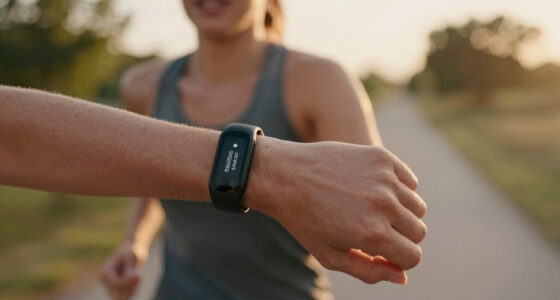
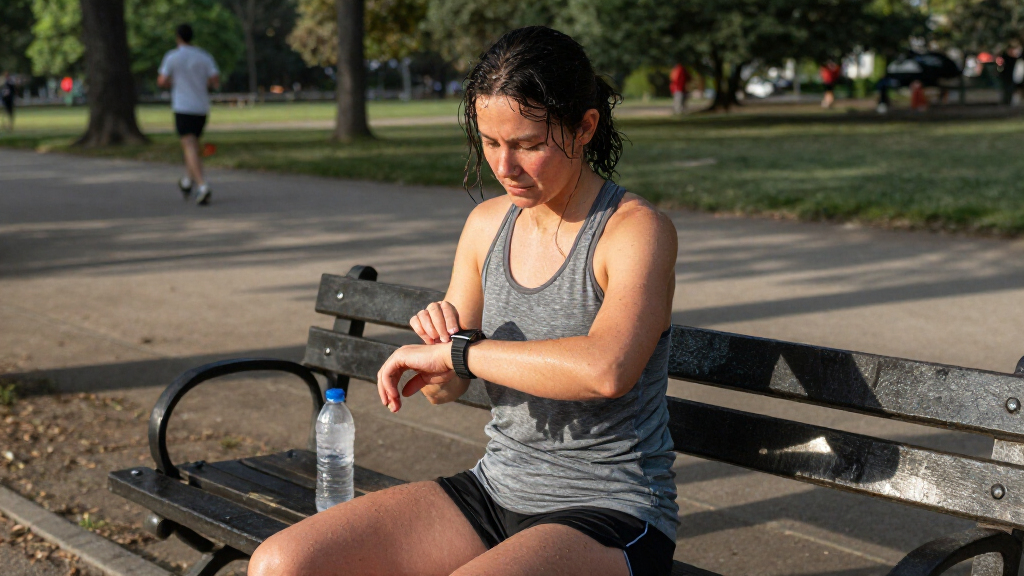
Your watch says you slept badly, your step count is short, and the workout you enjoyed barely moved the calorie number. Suddenly, a device meant to support your routine has turned an ordinary Tuesday into a list of things you supposedly did wrong.
Fitness trackers and health apps can help you spot broad patterns in movement, sleep, and heart rate. But their numbers are estimates, and they cannot measure every part of a good day: energy, confidence, enjoyment, or the relief of taking a rest day when you need one.
This guide offers practical ways to use data with less pressure: how to set calmer goals, make scores less intrusive, and decide when a tracking break may help. The aim is not to reject every number. It is to keep your attention on a life that feels livable, with the device in a supporting role.
Treat one step, sleep, or readiness score as an estimate with context, not a grade for your day.
Mute alerts, hide stressful metrics, and review useful trends at a set time instead of checking repeatedly.
Choose flexible activity goals that allow for busy days, recovery, and movement your device may not record.
Add nonnumeric signs such as enjoyment, energy, confidence, and consistency when you reflect on progress.
If tracking distress affects eating, exercise, or daily life, consider help from a qualified health professional.
How to Stop Letting Fitness Data Stress You Out
Trackers estimate activity, sleep, and heart rate; they cannot measure your whole wellbeing. Use useful trends to support your routine, not judge your day.
Treat Scores as Clues
One reading needs context from how you feel, your day, and professional guidance.
Numbers have limits
Fit, movement, skin contact, and device methods can affect readings.
Some progress is felt
Energy, enjoyment, confidence, and recovery may not show on a graph.
Unrecorded still counts
A walk or active day matters even when your device misses it.
Make Tracking Quieter
Keep the features that help and reduce the prompts that pull you back in.
Turn off nonessential prompts during work, meals, and rest.
Remove scores that affect your mood from the main screen if you can.
Check a few useful trends at a planned time instead of repeatedly.
Leave the tracker behind for a few walks or a week and notice how movement feels.
Choose Goals for Real Life
A supportive goal leaves room for changing schedules, energy, and recovery.
- Expect the same number every day
- Treat a missed target as failure
- Let a score dictate whether you rest
- Choose movement that fits the day
- Count short walks and other activity
- Return to a habit after rest or a busy day
Notice When It Adds Pressure
Pay attention to how tracking changes your choices and mood.
- Checking the app repeatedly or feeling guilty about a missed target
- Exercising to earn food or rest, or changing plans just to improve a score
- Feeling distressed or letting tracking affect eating, exercise, or daily life
Treat Each Score as a Clue, Not a Verdict
To stop letting fitness data stress you out, treat each reading as one imperfect clue about a larger day, rather than a grade for your effort or health. A step count can estimate movement, but it cannot tell you whether you carried groceries up four flights, played with your child, or felt good during a walk. The number is information; the meaning needs context.
Devices estimate steps, calories, sleep stages, and heart-rate measures in different ways. Readings can shift with watch fit, skin contact, movement, and software methods, as well as individual differences. A watch that sits loose on your wrist may miss some movement; a restless night may produce a score that does not match how rested you feel in the morning.
Say your sleep score lands at 58 after a night interrupted by a noisy street. You still wake feeling steady, make breakfast, and handle your normal errands. The score might be worth noticing if a pattern repeats, but one reading does not prove that the day is ruined.
Ask what decision the number can actually help you make. If it does not change a useful choice, such as taking a planned easy walk instead of a hard session, you can let it pass without investigating every detail. A trend can suggest a question; it cannot, by itself, give a complete answer about your health or effort.
Products Worth Considering
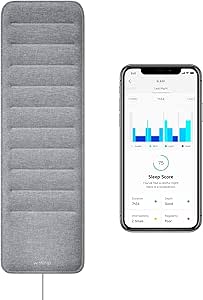
Withings Sleep – Sleep Tracking Pad Under the Mattress

Fitbit Sense 2 Health and Fitness Smartwatch, Shadow Grey/Graphite

Garmin Forerunner 265S 42 mm GPS Running Watch, Light Pink and Powder Gray
As an affiliate, we earn on qualifying purchases.
Spot the Signs Tracking Is Adding Pressure
Tracking may be adding pressure when you keep checking an app, feel guilty over a missed target, or let a score dictate whether exercise or rest is allowed. Those reactions matter because they can turn a tool for noticing habits into another source of demands. Pay attention to what changes in your mood and choices after you see the numbers.
For example, imagine you planned a gentle evening walk after a long day. You glance at your watch, see that your activity ring is nearly complete, and speed up even though your legs feel tired. The issue is not that one brisk walk is automatically a problem; it is the sense that you must obey a target regardless of your body or schedule.
Other clues can appear around food and self-worth. You might exercise to “earn” dinner, feel anxious about eating more than a calorie estimate, or decide that a workout only counts if the app records it. These are reasons to pause and take your experience seriously, not grounds to judge yourself.
Try a small check-in: Does tracking help you choose, or does it make you feel trapped? If the numbers repeatedly cause distress, affect your eating or exercise, or interfere with daily life, consider speaking with a qualified health professional. You do not need to wait until things feel unbearable to ask for support.
Make Your Goals Flexible Enough for Real Life
Flexible goals support a routine by allowing for changing schedules, energy, and needs. A target should help you plan, not turn a busy day or a rest day into a personal failure. Think in terms of patterns you can return to, instead of a perfect streak that breaks the moment life gets messy.
Here is a practical way to reset a goal without discarding every bit of structure:
- Name the habit you care about: for example, getting regular movement during your week.
- Choose a range or fallback: a short neighborhood walk can count on a packed day; a longer walk can fit when you have more time.
- Set a review point: check after a week or two to see whether the goal fits your routine and feels sustainable.
Suppose your tracker encourages 10,000 steps each day, but your commute and work schedule vary. You might set a personal intention to walk during lunch on three workdays, while treating other movement as a bonus. A rainy Sunday spent reading or recovering does not erase a week of activity.
Consistency means returning to a supportive habit, not hitting the same number every day. You can also include strength, mobility, energy, or enjoyment in your definition of progress. For instance, a beginner who feels more comfortable taking the stairs has noticed a meaningful change even if the step graph looks ordinary.
Change Your Settings Before You Give Up the Device
You can reduce tracker pressure by limiting when numbers reach you and which numbers you see. A few settings changes may preserve useful reminders while quieting alerts that pull you back into the app. That gives you room to decide whether the device is helping, instead of reacting to every buzz.
Start with this short reset:
- Silence nonessential notifications. Turn off prompts that interrupt work, meals, or rest just to announce a daily target.
- Hide metrics that trigger worry. If a calorie estimate or readiness score affects your mood, remove it from the main screen if your device allows it.
- Pick a review time. Check a weekly activity summary once, rather than opening the app after every walk.
- Try a short break. Leave the tracker at home for a few walks or for a week, and notice whether movement feels different.
For example, a person who checks their sleep score before getting out of bed could disable the morning notification and review sleep patterns on Sunday instead. They can still notice broad changes without letting one rough night frame the entire morning.
There is no single setting that works for everyone. If reminders help you remember a stretch break, keep that one. If a feature pushes you toward choices that feel unhelpful, mute or remove it. Your settings should serve your routine, not demand constant attention.
Keep Rest and Enjoyment in the Picture
Rest and enjoyment belong in a sustainable movement routine because recovery is part of how you live with exercise over time. A watch may show a recovery or readiness score, but that number cannot see your full schedule, the reason you are tired, or the advice a clinician has given you. Use the score as a prompt to reflect, not an automatic order.
Picture a rainy Saturday. Your device gives you a low readiness score, but you feel mostly well and had planned an easy cycle with a friend. You can choose a gentle outing, shorten it, or rest; your choice can account for how you feel and what is sensible for you. If you feel unwell or have specific health guidance, follow appropriate professional advice rather than trying to win a better score.
Likewise, a workout does not need a clean data trail to count. Dancing in the kitchen while pasta cooks, walking to meet a friend, or tossing a ball with your dog all involve movement even if your tracker misses a chunk of it. The laugh during the walk may be more memorable than the graph afterward.
Try asking, “Would I still choose this if the app did not record it?” If the answer is yes, that can tell you something useful about enjoyment. Fitness can make room for effort and rest, structure and spontaneity. A device cannot decide which mix will suit you today.
Track Fewer Things and Notice What the Numbers Miss
Tracking a small number of useful measures makes it easier to see patterns without turning every day into a scorecard. Pick information that helps you make a real choice, and pair it with a few observations that a device cannot capture. This gives you a fuller view than an app dashboard alone.
For example, you might review weekly walks and note how your energy felt afterward. A month later, you may see that lunchtime walks fit your schedule better than evening workouts, even though the app has no metric for “this felt easy to keep doing.”
- Keep a measure that guides a choice: a weekly activity pattern may help you plan movement.
- Add a nonnumeric note: jot down enjoyment, confidence, stamina, or how your body felt.
- Drop a metric with no useful job: if a daily calorie estimate mainly creates pressure, it may not belong in your routine.
These notes do not need to be elaborate. One sentence such as “walked after lunch; felt calmer and liked the sunny route” can tell you more about a habit’s fit than several screens of data. Research and discussion around digital wellbeing increasingly ask how quantified self tools affect behavior and mood, as well as what they measure. Accuracy is only part of usefulness; a number that makes you miserable may not be serving your goals.
Take a Break or Ask for Support When You Need It
A tracking break can be a sensible next step when numbers repeatedly make you anxious, guilty, or preoccupied. You might stop wearing the device for a few days, remove the app from your home screen, or ask someone you trust to help you notice how your routine feels without constant metrics. A break is an experiment, not a test you can pass or fail.
Consider a reader who checks a step count late at night and walks circles in the hallway to close the ring. They could put the watch on its charger after dinner for one week and plan movement around enjoyment instead: a short walk with a neighbor, perhaps, or stretching while a kettle boils. At the end, they can ask whether sleep, mood, or daily choices felt less controlled by the screen.
If distress continues, or tracking starts affecting eating, exercise, relationships, or ordinary tasks, consider speaking with a qualified health professional. Persistent anxiety, compulsive exercise, and disordered eating deserve care and support. There is no need to diagnose yourself from a list of signs.
If you have a pre-existing condition or ongoing health concern, ask an appropriate clinician how to interpret device readings in your situation. A consumer score is not a diagnosis, and this article cannot replace professional guidance. You deserve support that takes your circumstances seriously, whether or not you keep using a tracker.
Frequently Asked Questions
Are fitness trackers accurate?
Accuracy varies by device, activity, metric, and person. Fit, movement, skin contact, and the device’s methods can affect readings, so trackers are generally more helpful for broad patterns than for treating every number as exact.
Should I stop wearing my tracker if it makes me anxious?
You could try a break, mute alerts, or hide the readings that cause stress and see how that feels. If distress continues or affects eating, exercise, or daily life, consider speaking with a qualified health professional.
What should I do if I miss my step or activity goal?
Let one missed target be one day of information, not a verdict on you. Your schedule, energy, and needs change; adjust the goal or return to a supportive routine when it fits.
Can I trust my sleep or recovery score?
Use it as one imperfect signal alongside how rested and well you feel. A score cannot assess your full situation, so talk with a qualified clinician about ongoing sleep or health concerns.
Is it okay to exercise without recording it?
Yes. A walk with a friend, dancing at home, or playing outside counts as movement even if your device misses it. Logging can be useful, but it is not what makes an activity worthwhile.
How can I track progress without obsessing over numbers?
Choose just a few measures that guide a real decision, review them at set times, and add notes about energy, enjoyment, confidence, or consistency. If a metric creates more pressure than useful information, consider hiding or dropping it.
Conclusion
Keep only the fitness data that helps you make a useful choice. Set a flexible goal, mute the alerts that crowd your day, and let a walk count even when no device sees it.
Your tracker can offer a few marks on a map, but you still choose the route—and you can put the map away when you already know where you want to go.