
TL;DR

Get workout gear delivered free with Prime
- Fast, free delivery on millions of items
- Prime Video, Amazon Music and more included
- Member-only deals all year
Step counts are estimates: each phone, watch, or fitness tracker detects movement and applies its own rules to decide what counts as a step. Placement, pace, arm movement, settings, and syncing can all change the total, so compare devices over several consistent walks and use one device to follow your own trends.
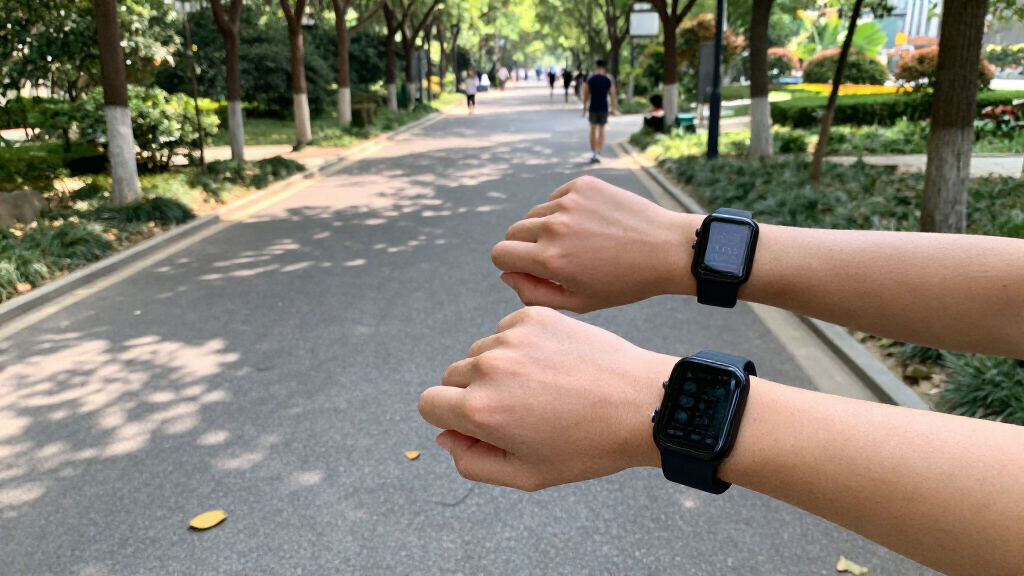
Your watch says 6,240 steps, while your phone says 5,710. You took the same walk with both, so which one is right? In many cases, both are working as designed: they detect movement from different places on your body and use different rules to estimate steps.
This guide explains why your step count differs between devices, from a phone tucked in a bag to a watch that swings with your arm. You’ll also learn how to compare devices fairly, spot sync issues, and use step counts as a steady personal trend instead of a precision score. A tracker can help you notice that you’re moving more or less than usual, but its number is an estimate—not a direct measurement of every footfall.
Step counts are estimates based on each device’s sensors and counting rules, so matching totals are not guaranteed.
Placement matters: a watch on a still wrist, a phone in a pocket, and a phone in a loose bag experience different movement.
Slow steps, cart pushing, walking poles, and vigorous arm motion can lead devices to miss or misread movement.
Compare devices across several walks with the same placement, route, pace, time window, and completed syncing.
Use one device for personal trends over time; seek qualified guidance before using consumer counts for clinical or rehabilitation decisions.
Why Your Step Count Differs Between Devices
A phone, watch, and fitness tracker estimate steps using different sensors and rules. Treat the count as a personal activity trend, not a precision score.
Same walk, different signals
Both devices can work as designed while recording different totals.
Movement is not the same
A watch follows your wrist; a phone in a pocket or bag moves differently.
Rules shape the count
Each device decides which movements look like steps and which to filter out.
Apps may combine sources
Separate counts, delayed syncing, or a selected primary device can change the displayed total.
Movement that can confuse trackers
Placement, walking style, and arm motion affect what a device detects.
- Slow or short steps
- Shuffling or walking with poles
- Pushing a cart with little arm swing
- Phone left on a desk
- Vigorous arm movement
- Hand gestures or bumps
- Motion during a vehicle ride
- A phone moving loosely in a bag
Compare devices fairly
Keep the conditions steady across several walks so the comparison is more useful.
Follow manufacturer guidance and keep each device in the same place.
Use the same route, normal pace, and time window for several walks.
Wait for syncing to finish and note changes to settings or software.
Your devices estimate steps in different ways
Step counts differ between devices because each one senses movement and applies its own rules to decide whether that movement looks like a step. A phone, watch, or fitness tracker can use motion sensors such as accelerometers and gyroscopes, but the software interpreting those signals may vary. The result is an estimate, not a direct tally of every foot hitting the ground.
Think of it like two people keeping score at a friendly game from opposite sides of the court. They watch the same action, but their angles and split-second judgments differ. One device may recognize a short burst of movement as several steps; another may filter it out as ordinary motion. Neither total automatically proves that the hardware is faulty.
For example, you might walk from your desk to the kitchen, pause to fill a glass, then return. One tracker may include the short walk right away, while another may wait until it detects a longer, steadier pattern. The same route can produce a different count even if you start both devices together.
That difference matters when you compare totals across brands or devices. Step counts are most useful for following your own pattern—such as whether your usual weekday walks have become longer. They are less helpful as perfectly interchangeable measurements. If you are tracking activity for research, rehabilitation, or medical care, ask a qualified professional whether a consumer device has been validated for that purpose.
Products Worth Considering

Garmin Forerunner 970 GPS Running and Triathlon Smartwatch, 47mm, Carbon Gray DLC Titanium, Black/Whitestone

Garmin Forerunner 570 GPS Running Smartwatch, 42mm, Aluminum, Whitestone/Cloud Blue

Garmin Forerunner 165 GPS Running Smartwatch, 43 mm, Black
As an affiliate, we earn on qualifying purchases.
Where you carry a phone can change the count
Device placement changes the movement a tracker senses, so two devices worn or carried in different places may report different totals. A watch follows your wrist and arm; a phone may sit still in a pocket, bounce in a bag, or move with your hand. Those different motions give each device a different picture of the same walk.
Imagine pushing a stroller around your neighborhood. Your watch arm may stay nearly still on the handle, while a phone in your pants pocket bobs with each stride. The watch could miss some steps because its sensor sees little wrist movement; the phone could detect more of the walking rhythm. Switch the phone to a loose tote bag and it might move unpredictably instead.
A device left on a desk won’t count the walk you take to the printer. A phone in a backpack may register movement differently from one held in your hand. Even carrying a phone in the same pocket every day gives you a more consistent basis for comparison than moving it between a pocket, bag, and hand.
Check the manufacturer’s wear or carry guidance, then keep placement steady when you compare totals. If your tracker permits a wrist setting, selecting the wrist you actually use may help it interpret movement as intended. Consistency of placement makes your personal trends easier to read, even when the number still differs from another device.
Slow walks and busy arms fool step counters
Step counters can miss or misread movement when your walking style differs from the rhythm their software expects. A slow stroll, short steps, shuffling, walking poles, or pushing a cart can change the signals a device detects. Vigorous arm movement can sometimes look like walking, even when your feet are still.
At the grocery store, for instance, your hands may stay on a cart handle while your legs keep moving down each aisle. A wrist tracker may see less arm swing and count fewer steps than a phone in your pocket. Later, while you chop vegetables or tidy the kitchen, the tracker might register some arm movement as steps. That can make the end-of-day gap look confusing.
Walking pace also affects how clearly a device can distinguish repeated steps from other movement. If you take small, slow steps while waiting for a kettle to boil, a tracker may ignore the brief pattern. A brisk walk across a car park may register more cleanly. This does not mean you need to change how you move to satisfy your device.
Use the count as a rough activity signal rather than a judgment on your effort. If you use a cane, poles, or a mobility aid, devices may capture your movement differently; try a consistent placement and focus on changes in your own readings. For exercise plans or mobility concerns related to a health condition, seek advice from a qualified professional. Your movement still counts, even when a sensor misses it.
Small software rules can add or skip steps
Step detection thresholds and filtering rules decide which movements count, so devices can disagree even when they sense similar motion. One tracker may count a short burst of steps; another may wait for a longer, more regular pattern before adding them. Manufacturers tune these rules to reduce false counts from bumps, hand gestures, or vehicle movement.
Picture a crowded train ride: you stand, shift your weight, reach for a rail, and feel the carriage sway. A sensitive device might treat some of that motion as walking, while a stricter one filters it out. The stricter setting can also miss a few real steps when you cross a room slowly. Every filtering choice has a tradeoff.
Software and settings add another layer. A firmware or app update may change how movement is interpreted. A stride setting, battery-saving mode, or background permission can affect tracking or when data appear. If your usual count shifts suddenly after an update, check the release notes and settings before assuming that your walking changed.
There is no single universal counting rule that makes every consumer device produce identical totals. This is why a repeatable trend from one device can tell you more than a one-day comparison across several brands. If you do change devices, make a note of the date: the new tracker may establish a different baseline, much like a new kitchen scale showing slightly different numbers.
Syncing can make your app total look strange
An app’s displayed total may come from one device, several devices, or a selected primary source, so it may not match the number shown on your watch or phone. Data can arrive late, overlap, or be combined according to the app’s rules. The screen you check may show a different time window from the device display.
For example, your watch shows 4,000 steps at lunchtime, while your phone app shows 3,650. The watch may not have synced since your morning walk, or the app may be showing only phone-recorded steps. After syncing, the app could catch up—or it could retain the phone as the preferred source. A delayed refresh can make the numbers appear to jump.
Duplicate records are another possibility when multiple sources feed the same app. Some systems try to reconcile overlapping data, but the displayed total can still differ from what either device recorded alone. Check connected devices, primary-source settings, and the date range. Give the devices time to sync before comparing their totals.
A practical check is to compare each device’s own daily display first, then compare app totals only after syncing finishes. Make sure both screens show the same day and time window. Device count and app count can answer different questions: one may show what its sensor recorded, while the other shows data gathered from an ecosystem of devices.
Use a simple six-step test to compare devices
You can compare devices more fairly by keeping placement, route, pace, and time window consistent across several walks. A single short test can be thrown off by a missed sync or a brief pause. Repeatable conditions help you see whether the gap is steady or just ordinary day-to-day variation.
- Wear or carry each device as recommended. For example, put the watch on your wrist and the phone in the same pocket you normally use.
- Set a clear baseline. Note both starting totals or reset the walk recording if that option exists.
- Walk a measured route at your usual pace. A familiar 10-minute neighborhood loop works better than a rushed dash through a busy shop.
- Repeat the walk several times. Try it on different days so one odd reading does not decide the result.
- Check the same time window and sync status. Wait for data to finish syncing before comparing app totals.
- Keep placement and settings steady. Note software updates or setting changes that occur during the comparison.
Suppose your watch records about 1,100 steps on three laps of the same park loop, while your phone records about 1,250 each time. The difference is useful information about those devices and placements; it does not identify a universal winner. If the totals swing wildly from one repeat to the next, review how you carried the phone and whether both devices tracked the full walk.
To make your daily activity easier to follow, pick one device and keep using it consistently. Do not switch back and forth if you want to compare this week with last week: a new device can set a new baseline. Treat the number as a guide to your routine, not a score you have to chase.
Treat the number as a trend, not a perfect score
A step count works best as a consistent estimate of your activity over time, because consumer devices do not share one method for counting steps. Your watch, phone, and fitness tracker can each be useful without agreeing exactly. A steady reading from the same device may help you notice patterns, while a direct comparison between devices can be misleading.
Say your tracker usually shows about 5,000 steps on workdays and closer to 7,000 on days when you take an evening walk. That contrast can help you notice how your routine changes. You do not need every device to confirm the same totals for that personal pattern to be useful.
Steps also capture only one slice of movement. They may not reflect cycling, strength work, swimming, or effort during a walk where you push a cart. If a counter does not rise as expected, it does not erase the movement you did. Sustainable activity can take many forms, and a device is one tool for observing habits.
For clinical, rehabilitation, or research decisions, consumer step counts should not stand in for validated measurement without appropriate professional guidance. If a condition affects your movement or you are following an individualized activity plan, consult a qualified professional about tracking methods that suit your situation. Use your device to notice patterns, then let your broader goals and professional guidance shape what you do with them.
Frequently Asked Questions
Why does my watch count more steps than my phone?
Your watch may detect arm movement that your phone, especially one resting in a bag, does not sense. The devices can also use different rules for filtering and counting movement. Compare their own displays after the same walk and completed sync.
Which device is more accurate?
There is no single answer for every person and situation. Placement, walking style, settings, and the device’s counting rules all affect the reading. For personal tracking, consistency with one device is usually more useful than expecting several devices to match.
Will a phone count steps in a bag or backpack?
It may count some steps, but a bag can move differently from a pocket or hand, so the total may change. A phone left still on a desk cannot record a walk you take away from it. Keep its location consistent when following trends.
Why does my tracker miss steps when I push a stroller or shopping cart?
Your wrist may move less when both hands stay on a handle, which can make a wrist tracker miss some walking. A phone in a pocket may sense the movement differently. Your walk still counts, even if the device records fewer steps.
Can arm movements count as steps?
Yes. A device may sometimes interpret vigorous or repetitive arm movement as walking, particularly when worn on the wrist. That is one reason cooking, cleaning, or gesturing can affect totals even when you are not taking steps.
Can syncing make my app and device totals differ?
Yes. The app may not have received the latest data, may show a different time window, or may combine records from more than one device. Check the sync status and connected-device settings, then compare the same day after the data have refreshed.
Are step counts precise enough for medical decisions?
Consumer step counts should not be treated as precise clinical measurements unless the device and use have been validated for that purpose. If you need activity tracking for rehabilitation or a health condition, ask a qualified professional what method is appropriate for you.
Conclusion
When your phone and watch disagree, treat the gap as a clue about how each device senses and sorts movement—not as a verdict on your effort. Keep one tracker in the same place, compare it under similar conditions, and use its readings to notice your own patterns over time.
A step counter is a small window on your day, not the whole landscape. Take the walk, enjoy the air, and let the number follow along.