TL;DR

Get workout gear delivered free with Prime
- Fast, free delivery on millions of items
- Prime Video, Amazon Music and more included
- Member-only deals all year
Wearables can provide useful health and fitness insights, but their readings are estimates, not laboratory measurements. Calibration helps a wearable interpret sensor signals using your profile, movement, fit, and surroundings, giving you more dependable trends without removing the device’s built-in limits.
Your watch says you ran 5.4 kilometres, the treadmill says 5.0, and your running route has not moved overnight. That gap does not automatically mean either device is broken. It usually means two machines watched the same workout through different sensors and made different guesses.
You will learn why calibrating your wearable matters, which readings calibration can improve, and which numbers deserve a raised eyebrow. The goal is not perfect data. It is cleaner, more consistent information that helps you make calm decisions about movement, rest, and training.
Calibration changes how raw sensor signals become distance, pace, zones, or other estimates; syncing only transfers the finished data.
Treat steps, resting heart-rate trends, sleep duration, and consistency as more dependable than exact calorie burn, sleep stages, stress scores, or isolated ox…
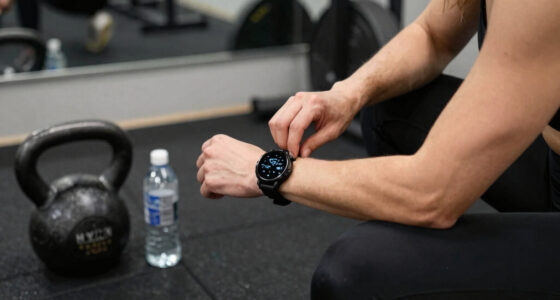
Improve optical readings by wearing the sensor above the wrist bone with secure, comfortable skin contact and a slightly snugger fit during exercise.
Use several steady outdoor sessions for distance calibration, and calibrate walking and running separately when your device allows it.
Repeat calibration after major changes in software, gait, fitness, footwear, dominant wrist, body profile, or device placement.
Why Calibrating Your Wearable Matters
Wearable readings are informed estimates, not laboratory measurements. Calibration helps your device interpret sensor signals through the lens of your profile, movement, fit, and surroundings—producing cleaner trends without erasing the sensor’s built-in limits.
A wearable can be consistently wrong in absolute terms—and still be valuable for tracking your personal direction.
Calibration changes the answer. Syncing only carries it.
Your wearable combines light signals, movement, GPS points, profile details, and software rules. Calibration improves how those ingredients are interpreted for you; synchronization merely transfers the finished record between your watch, phone, and apps.
Adjusts interpretation
Can refine stride length, distance, pace, heart-rate zones, and supported blood-pressure estimates. It changes how raw inputs become useful measurements.
Transfers stored data
Moves workout records between services and screens. A successful sync cannot repair a distance estimate built from an unsuitable stride length.
Know which numbers deserve confidence—and which deserve a raised eyebrow.
Signals closer to what the sensor directly observes tend to be more dependable. Metrics built through several layers of assumptions require more caution, even after calibration.
| Wearable metric | Relative confidence | What can distort it | Best way to use it |
|---|---|---|---|
| Steps | ✓ Better for broad patterns | Prams, bags, repetitive hand motion | Compare similar days and routines |
| Resting heart rate | ✓ Useful as a trend | Loose fit, stress, illness, changed routine | Watch a multi-day personal baseline |
| Distance and pace | ~ Condition-dependent | Buildings, trees, indoor exercise, incorrect stride | Calibrate in steady outdoor sessions |
| Calories burned | ✗ Rough estimate | Generic metabolism assumptions and motion errors | Never treat it as an exact food allowance |
| Sleep stages | ✗ Limited precision | Quiet wakefulness, movement, fit, algorithms | Prioritize duration and regularity |
| Oxygen saturation | ~ Broad stable pattern | Cold skin, motion, circulation, weak contact | Never use one reading as a diagnosis |
Fix the fit before you question the algorithm.
Optical sensors shine light into the skin and interpret the returning signal. Unstable contact makes that faint signal compete with motion, daylight, sweat, and circulation changes.
Move above the wrist bone
Place the sensor roughly a finger-width higher, following the manufacturer’s instructions.
Secure, never restrictive
Use a slightly snugger fit during exercise to reduce bouncing, without pinching or impairing circulation.
Use the correct wrist setting
Wear the device in the same position and confirm the dominant-wrist setting in its companion app.
Keep the sensor clean
Remove sweat and lotion using the approved care method. Residue can weaken optical contact.
Test another area
Tattoos, cold skin, low circulation, or irritation may affect readings. An untattooed area may work better.
Expect exercise noise
Rowing, lifting, and rapid arm motion can confuse repetitive movement with pulse signals.
A reading that suddenly jumps from 92 to 154 beats per minute after an interval may reflect poor contact or motion interference rather than an instant physiological change.
Numbness, tingling, deep marks, or raw skin mean the band is too tight. Loosen or remove it and seek appropriate guidance if irritation persists.
Make distance and pace less guessy.
GPS watches need clean satellite data. Devices without GPS often estimate distance from stride length and arm motion. Several steady sessions teach a more realistic link between your movement and the ground covered.
Choose open space
Avoid tunnels, dense trees, and rows of tall glass buildings.
Confirm GPS lock
Wait for the device to report a stable satellite connection.
Move naturally
Walk or run at a steady effort rather than changing pace repeatedly.
Continue 20 minutes
Give the algorithm enough clean movement data to learn from.
Repeat sessions
Several representative workouts are better than one messy route.
Calibrate walking
Your everyday stride, arm swing, and pace create one movement signature.
Calibrate running
Running mechanics change with speed, so a walking profile may not translate accurately.
Personalize the thresholds.
This familiar formula is only a rough population estimate of maximum heart rate. A neat calculation is not automatically a precise personal limit.
Run this check before trusting the trend.
A useful calibration review covers your profile, software, fit, reference activity, and long-term pattern. Consistency makes changes easier to interpret.
Verify body details
Check age, height, weight, sex setting, dominant wrist, and relevant stride information.
Update carefully
Confirm the app and firmware are current, then watch for changes in the trend after updates.
Standardize the position
Wear the device above the wrist bone in the same location each day.
Secure the sensor
Use comfortable skin contact and a slightly snugger exercise fit.
Choose a clean session
Use an open route, stable GPS, natural movement, and a steady effort.
Separate movement types
Calibrate walking and running independently when the device supports it.
Compare like with like
Use similar conditions, schedules, device settings, and workout types.
Review several days
Question isolated extremes and focus on repeatable, multi-day changes.
Recheck after major software updates, changes in gait, fitness, footwear, body profile, dominant wrist, device placement, or a switch between devices.
From body signal to calm decision.
The value of wearable data depends on every link in the chain. Better contact and calibration improve the interpretation, while context prevents a single uncertain estimate from becoming a misleading conclusion.
Calibration improves estimates. It does not create a medical instrument.
Consumer wearables should not replace professional assessment. Seek urgent medical help for chest pain, fainting, breathing difficulty, or other severe symptoms. Discuss persistent abnormal oxygen, heart-rate, rhythm, or blood-pressure readings with a qualified healthcare professional.
See What Calibration Changes—and What Syncing Never Will
Calibration changes how your device interprets raw signals, while syncing only moves stored information between your watch, phone, and apps. Calibration can adjust estimates such as stride length, distance, pace, heart-rate zones, or blood pressure. A successful sync cannot repair a distance estimate built from the wrong stride.
Your wearable combines flashes of sensor light, arm movement, GPS points, profile details, and software rules. Think of those ingredients as a pile of puzzle pieces: the algorithm assembles the picture, and calibration tells it which pieces fit you. According to consumer-wearable validation research, accuracy changes with activity, placement, motion, and device design [1].
For instance, imagine that you shorten your stride while walking uphill. A watch without GPS may still assume the longer stride it learned on flat pavement, adding phantom metres as you climb. After several properly recorded walks, calibration helps a device connect your arm swing and step pattern with a more realistic distance.
Syncing carries the answer elsewhere. Calibration changes how the answer is calculated.
Products Worth Considering

Fitbit Charge 6 Fitness Tracker – Porcelain/Silver

Fitbit Sense Health & Fitness Smartwatch (White/Gold, International Version)

Garmin Forerunner 570 GPS Running Smartwatch, 47mm, Aluminum, Black
As an affiliate, we earn on qualifying purchases.
Learn Which Wearable Numbers Deserve More Trust
Step totals and resting heart-rate trends usually deserve more confidence than calorie burn, sleep stages, stress scores, or one-off oxygen readings. Why? Some signals sit closer to what the sensor can observe, while other metrics require several layers of assumptions. Calibration can tidy an estimate, but it cannot create information the sensor never measured.
| Wearable metric | What it does reasonably well | What can distort it | Best way to use it |
|---|---|---|---|
| Steps | Tracks broad daily movement patterns | Pushing a pram, carrying bags, or repetitive hand motion | Compare similar days and routines |
| Resting heart rate | Shows longer-term personal trends | Loose fit, poor skin contact, stress, illness, or a changed routine | Watch your multi-day baseline |
| Distance and pace | Works well with a clean GPS signal and suitable calibration | Tall buildings, trees, indoor exercise, or an incorrect stride estimate | Calibrate during steady outdoor sessions |
| Calories burned | Offers a rough comparison between similar workouts | Generic metabolism assumptions, movement type, and heart-rate errors | Do not treat the number as an exact food allowance |
| Sleep stages | Estimates sleep timing and total duration | Quiet wakefulness, movement, fit, and software assumptions | Focus on duration and regularity |
| Oxygen saturation | May show a broad pattern under stable conditions | Cold hands, motion, circulation, fit, and weak signal quality | Never use a lone reading as a diagnosis |
For instance, two watches might agree that you took about 8,000 steps yet differ by 350 calories. Calories burned are among the least reliable wearable estimates because a wrist device cannot measure energy use directly from heart rate and motion alone. The calorie counter is a storyteller working from clues, not a cashier printing an exact receipt.
Consumer sleep trackers also tend to estimate sleep versus wakefulness better than individual sleep stages [2]. If your device announces only 18 minutes of deep sleep, resist rebuilding your day around that one result. A steady bedtime and total sleep trend usually give you more practical information.
Get Cleaner Sensor Readings by Fixing the Fit First
Correct placement and steady skin contact can improve your readings before you change a single software setting. Wear the sensor above the wrist bone, keep it secure without pinching, and use the wrist setting requested by the app. During exercise, a slightly snugger band can reduce the noisy signal created by bouncing.
Optical sensors shine light into your skin and read the returning signal. A loose strap lets daylight sneak underneath, while sweat, tattoos, cold skin, low circulation, and fast arm movement can muddy the result. The sensor is trying to hear a whisper while motion bangs pots in the background.
For instance, your watch may show 92 beats per minute halfway through a hard rowing interval, then jump to 154 when you stop. The first number may reflect poor contact or confusion between repetitive movement and your pulse. Moving the watch a finger-width higher and tightening it one notch may produce a steadier exercise trace.
- Place the device above the wrist bone, following its manufacturer instructions.
- Keep the band secure but comfortable; numbness, tingling, or deep marks mean it is too tight.
- Clean sweat and lotion from the sensor using the approved care method.
- Try an untattooed area if tattoo pigment appears to disrupt optical readings.
- Loosen the strap after exercise if your skin becomes warm or irritated.
A wearable should never rub your skin raw in pursuit of prettier graphs. If irritation continues, stop wearing it on that area and ask a qualified healthcare professional or the manufacturer for guidance. Comfort and circulation come before any fitness score.
Make Your Distance and Pace Less Guessy
Why calibrating your wearable matters becomes obvious when distance or pace guides your workouts. GPS watches need clean satellite data, while devices without GPS often estimate distance from stride length and arm movement. Several steady outdoor sessions can teach the device a better relationship between your steps and actual ground covered.
Choose an open route away from tunnels, dense trees, and rows of tall glass buildings. Wait for the watch to confirm a GPS lock, then walk or run at a natural, steady effort for about 20 minutes. One zigzagging route through a city centre can give the algorithm a messy lesson.
Walking and running often need separate calibration because your stride changes with speed. For instance, the quick, short steps you use during a relaxed walk do not match the longer rhythm of a gentle run. Footwear can matter too: stiff hiking boots and springy running shoes may subtly change how you move.
- Update your watch and companion app before starting.
- Select an open outdoor route with a known distance or dependable GPS reception.
- Wait for a confirmed satellite connection.
- Record a steady walk or run for around 20 minutes.
- Repeat the session several times at your usual pace.
- Calibrate walking and running separately if the device supports it.
- Check the result against a measured route rather than another unverified machine.
If the first run measures 4.8 kilometres and the next two land close to 5.0 kilometres, the pattern matters more than one miss. Repeated large errors call for a settings check, a reset under manufacturer guidance, or another calibration round. Weather, satellite coverage, and pauses can still bend the line on your map.
Set Heart-Rate Zones That Match Your Real Effort
Why calibrating your wearable matters for heart-rate training comes down to personal limits: generic age formulas can place your zones too high or too low. The familiar 220 minus age formula only gives a rough maximum-heart-rate estimate. Zones based on better personal data can make easy sessions feel easy and hard sessions appropriately demanding.
Say you are 40. The formula predicts a maximum of 180 beats per minute, yet real maximums vary widely between people of the same age. If your watch builds every zone from a shaky starting number, its colourful red and orange alerts may sound authoritative while pointing you in the wrong direction.
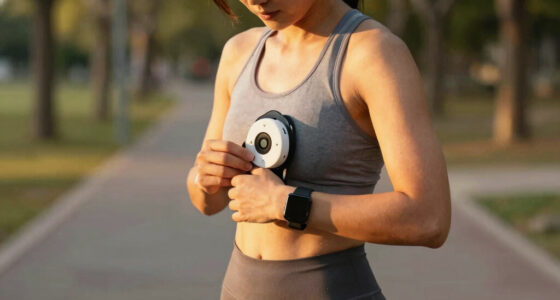
A chest strap usually follows rapid changes better than a wrist sensor during sprints, intervals, or weight training. For instance, your watch may lag through a 30-second hill repeat and display the peak after you slow down. If precise exercise heart rate shapes your training, compare the watch with a well-fitted chest strap during workouts you actually do.
Some people use a measured maximum, heart-rate reserve, or a professionally guided threshold test to set zones. Ask a qualified fitness or healthcare professional for help if you have a health condition, take medication that affects heart rate, or feel chest pain, faintness, or unusual breathlessness. Do not chase a target number through warning symptoms.
Use Your Personal Baseline Instead of Chasing Perfect Scores
Your normal pattern often matters more than a population average, especially for resting heart rate, sleep duration, wrist temperature, and recovery scores. A device can be consistent without being perfectly accurate. When you measure under similar conditions, a sustained change from your own baseline can carry more meaning than a generic ideal.
For instance, your watch might always report a resting heart rate two or three beats above a clinic measurement. That offset matters less if the watch uses the same method every morning. A move from your usual 58 to 70 beats per minute across several days deserves more attention than whether 58 matches an online chart.
Consistency acts like a level floor under your data. Wear the device on the same wrist, in the same position, with the same settings, and compare similar types of days. Switching wrists on Monday, sleeping without it on Tuesday, and borrowing another tracker on Wednesday gives your trend line three different rulers.
Wrist temperature needs the same restraint. It reflects changes at the skin, not core body temperature, and the room, bedding, alcohol, sleep timing, and menstrual cycle can influence it. Look for repeated changes over several nights, not a dramatic story hidden inside one warm reading.
Know When a Fresh Calibration Is Worth Your Time
Recalibrate when something changes the relationship between your body, equipment, and device, or when repeated errors appear. There is no universal monthly schedule. A reset, major software update, new wrist, changed gait, large fitness change, different footwear, or updated profile can all justify a fresh reference session.
Imagine that you spend three months recovering from an ankle injury under professional guidance. Your steps become shorter, your walking speed changes, and you wear sturdier shoes. The stride model learned before the injury may now overstate distance, even though the watch itself works perfectly.
- Recalibrate after a factory reset or major firmware change.
- Review your profile after a meaningful change in height, weight, dominant wrist, or device placement.
- Repeat distance calibration when new footwear or a changed gait affects your stride.
- Check heart-rate settings after a major change in fitness or training style.
- Follow the exact recalibration schedule for any cuffless blood-pressure feature.
Software updates deserve attention because the hardware can stay the same while the calculation changes behind the screen. Your recovery score may shift after an update without any real change in your body. Record the update date if you track long-term trends, so a sudden step in the graph does not masquerade as a fitness breakthrough or setback.
Use Abnormal Readings Without Panic or False Confidence
An unusual wearable reading is a signal to check, not a diagnosis to accept. Repeat the measurement under calm, stable conditions, inspect fit and sensor contact, and review the trend. Symptoms always outrank the screen, while serious or repeated abnormalities belong with a qualified healthcare professional.
For instance, cold fingers, a loose band, and movement can drag an optical oxygen reading downward. Warm up, sit still, position the device correctly, and repeat it as directed. If you have breathing difficulty, chest pain, fainting, suspected an irregular heartbeat, or another serious symptom, seek urgent medical care rather than troubleshooting a gadget.
Some wearables offer irregular-rhythm alerts or on-demand electrocardiograms. These tools can support screening, but an inconclusive or abnormal result needs professional interpretation. Regulatory clearance applies to named features and stated uses; it does not turn every stress, sleep, temperature, or recovery number on the device into a clinically validated measurement.
Cuffless blood-pressure tools need extra care. Many require initial and recurring comparison with a validated upper-arm cuff, using a precise manufacturer procedure. Do not calibrate one against a gym kiosk simply because both screens glow with official-looking numbers.
Do not ignore worrying symptoms because your watch looks normal. Do not assume one odd number means something is wrong, either.
Run This Practical Eight-Point Check Before Trusting the Trend
A useful calibration check covers your profile, software, fit, reference activity, and long-term pattern. You do not need a drawer full of test equipment. Start with the settings and positioning you control, then compare only the measurements that matter to you against a suitable reference.
- Check your profile. Enter accurate age, height, weight, requested sex-related settings, and dominant wrist. A stale profile gives the algorithm stale ingredients.
- Update the software. Install current device and app updates, then note the date if you keep long-term records.
- Position the sensor correctly. Follow the manufacturer’s placement guide and keep the band secure without restricting circulation.
- Record several steady sessions. Use open sky and a strong GPS connection for outdoor distance calibration.
- Choose the right reference. Use a measured route for distance, a chest strap for fast-changing exercise heart rate, and a validated upper-arm cuff for supported blood-pressure calibration.
- Compare like with like. Match similar routes, workout types, times, and wearing positions.
- Review several days. A repeated pattern carries more weight than one glittering spike on Tuesday afternoon.
- Recheck after major changes. New footwear, changed gait, a different wrist, body changes, resets, and software updates can alter the data.
Suppose your treadmill pace, watch pace, and outdoor pace all disagree. Start with a measured outdoor route and a clean GPS signal rather than declaring the nearest screen the winner. Gym equipment can use generic formulas or need maintenance, so disagreement alone does not reveal which number is closest.
For general wellness, this routine is usually enough to make useful health and fitness trends easier to interpret. It will not create medical-grade precision, and it should not drive food restriction, punishment workouts, or anxiety over a nightly score. Let the numbers support sustainable habits, not police your body.
Frequently Asked Questions
How do I know whether my wearable needs calibration?
Look for repeated errors, not one strange result. If several walks measure too long, your pace stays implausible, or heart rate repeatedly clashes with your effort and a suitable reference, review fit, settings, updates, and the manufacturer’s calibration instructions.
How often should I calibrate my wearable?
There is no single schedule for every device or metric. Recalibrate when the manufacturer requests it, after a reset or major update, or after meaningful changes in gait, fitness, footwear, body profile, wrist choice, or placement.
Can I calibrate a wearable by myself?
You can often calibrate stride, GPS distance, wrist placement, and heart-rate zones yourself by following the device instructions. Medical-style features may need a specific reference; cuffless blood-pressure tools, for example, may require a validated upper-arm cuff and an exact recurring procedure.
Why are calorie estimates so different between devices?
Each platform uses its own assumptions about movement, heart rate, metabolism, and activity type. Treat calorie figures as rough comparisons between similar sessions, not exact permission to eat more or a target for changing your body.
Can I trust an abnormal heart-rate or oxygen reading?
A single abnormal value can come from movement, poor fit, cold skin, weak circulation, or sensor noise. Repeat it correctly, but seek professional guidance for repeated unexplained readings; get urgent care for chest pain, fainting, breathing trouble, or other serious symptoms, regardless of what the wearable displays.
Conclusion
The one idea to remember is simple: calibrate for consistency, then follow the trend. Set up the device carefully, compare like with like, and treat precise-looking numbers as estimates rather than commands.
Your wearable should act like a helpful trail marker, not a judge holding a scorecard. Adjust the strap, record a clean reference session, and let several ordinary days tell the story.